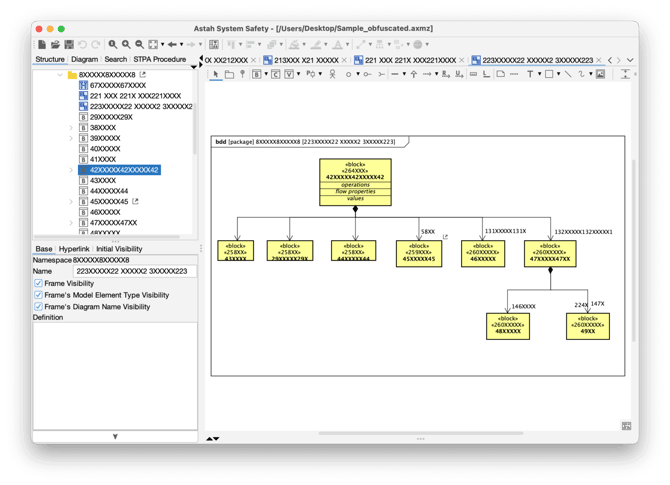
When troubleshooting complex issues, Astah Support may request your project file. If your project contains confidential information, you can use the Obfuscation feature. This process anonymizes model element names (replacing them with non-meaningful strings) while preserving the underlying structure, relationships, and layout.
Instructions by Product
For Astah Professional or Astah UML
This method exports your project as an XML file specifically formatted for bug reports.
-
Open your project in Astah.
-
Navigate to [Tools] → [XML Input & Output].
-
Select [Save as Obfuscated XML Project [For Bug Report]].
-
Save the resulting XML file and send it to the support team.
For Astah System Safety or Astah SysML
These editions use the "Correct Model" utility to handle the obfuscation process.
-
Open your project in Astah.
-
Navigate to [Tools] → [Correct Model].
-
Select [Save as Obfuscated Project [For Bug Report]].
-
Save the file and provide it to the support representative.
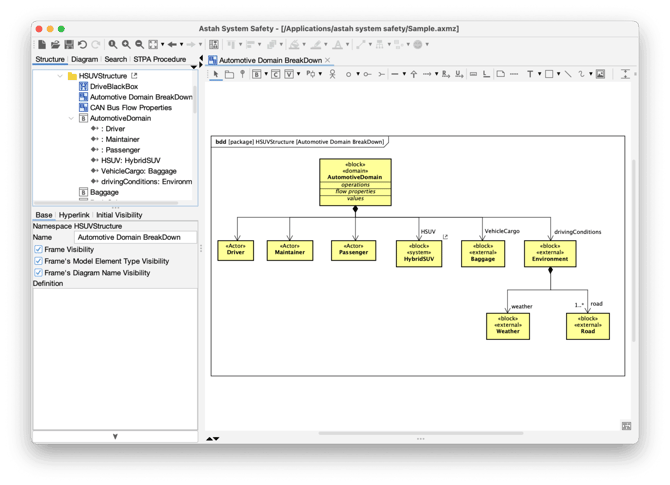
Visual Example: Before vs. After
| Original Model | Obfuscated Model |
Contains real names (e.g., OrderProcessor, UserDatabase). |
Names are replaced (e.g., XXXX, XXXX). |
| Relationships and hierarchy are visible. | Relationships and hierarchy are preserved. |
Visual Example - Before
Visual Example - After