If you have lost your license file, you can easily re-download it by logging into your account on the CV Members site. All your purchased licenses are stored there for easy access.
-
Go to the CV Members Site and log in with your registered email and password.
-
Navigate to the [My Licenses] menu on the dashboard from the Left menu
-
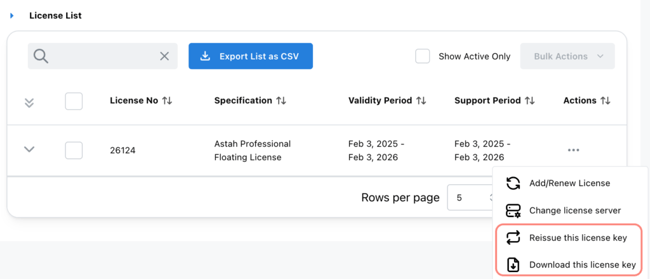
Locate the license you need from the list.
-
Select [Download the license key] or [Reissue this license key] from the drop-down menu.